MaxCal app icon Free · iPhone and Mac

A calendar you'd happily pay for. Except it's free.

MaxCal is a calendar app for iPhone and Mac. Type or say events the way you'd put them, see your whole day and its weather at a glance, and keep Google, iCloud, and Outlook calendars together in one place.

  • No subscription
  • No account
  • No servers, no tracking

In beta on TestFlight now, for iOS 27 and macOS 27.

New event

Type it, or say it.

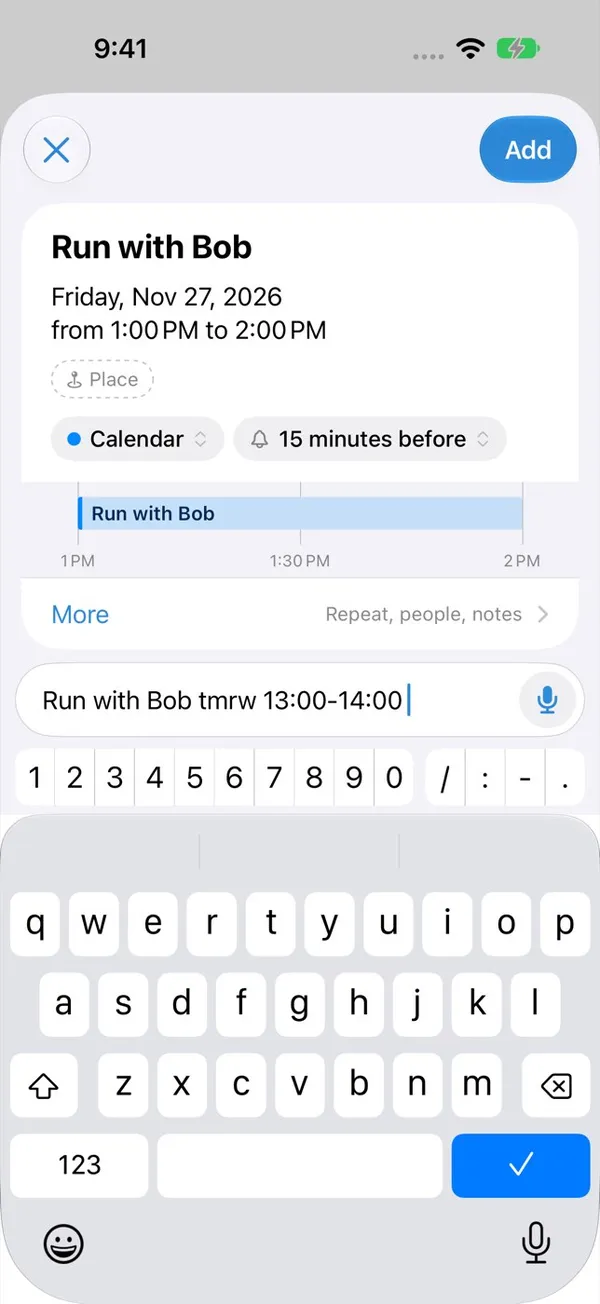
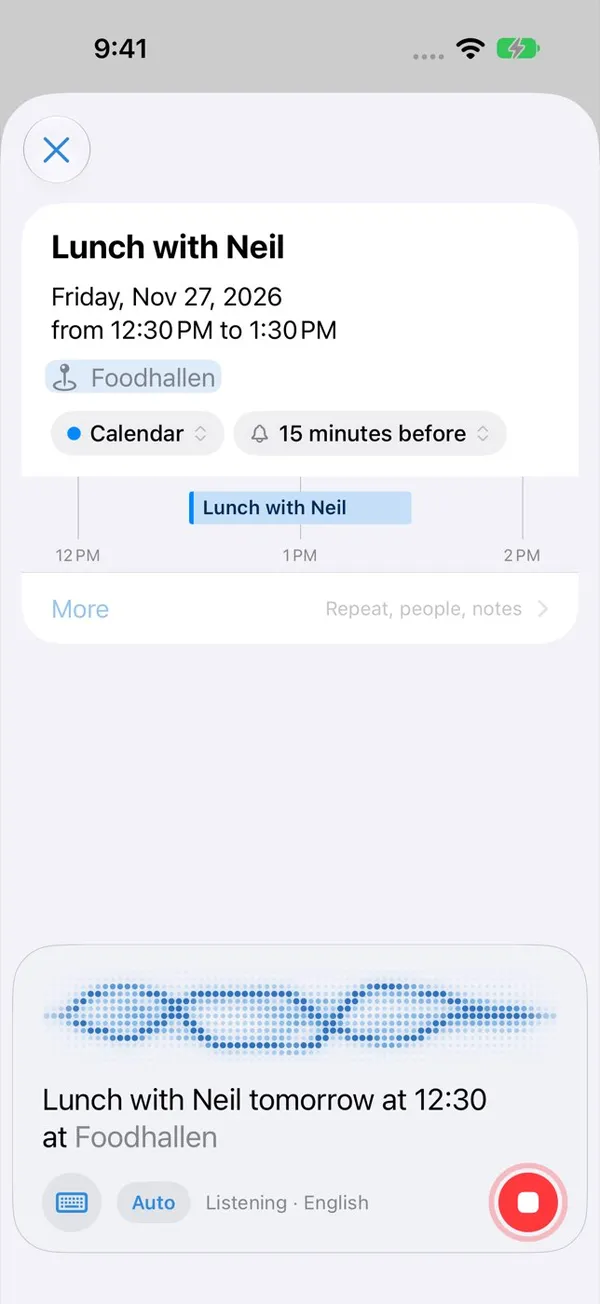
Write Lunch with Sam Friday 1pm at Tartine /work and the event fills itself in as you type: its title, day, time, and place, over the hours around it. Or tap the mic and say it, then change it by talking: “at 8” moves the time.

  • Dates, times, and repeats like “tomorrow 9am”, “every other Tue”, or “3pm EST to 6pm PST”.
  • Calendars and alerts with “/work” and “alert 30 minutes”.
  • Your voice stays on your iPhone. MaxCal listens only while the mic is on, and Apple's on-device speech recognition writes it down, in English or Dutch.
  • Messy text? Apple Intelligence reads it on the device and fills the event in, with Undo.
  • Need more? The full form has repeats, several alerts, time zones, travel time, notes, and templates.
The new event page reading “Run with Bob tmrw 13:00-14:00” as a Friday 1 PM to 2 PM event, above the hours around it
The new event page listening, with “Lunch with Neil tomorrow at 12:30 at Foodhallen” filled in as the event

Day Ribbon and agenda

Your day, and the gaps in it.

Scrub the Day Ribbon across the top and the agenda follows. Busy days show it before you get there.

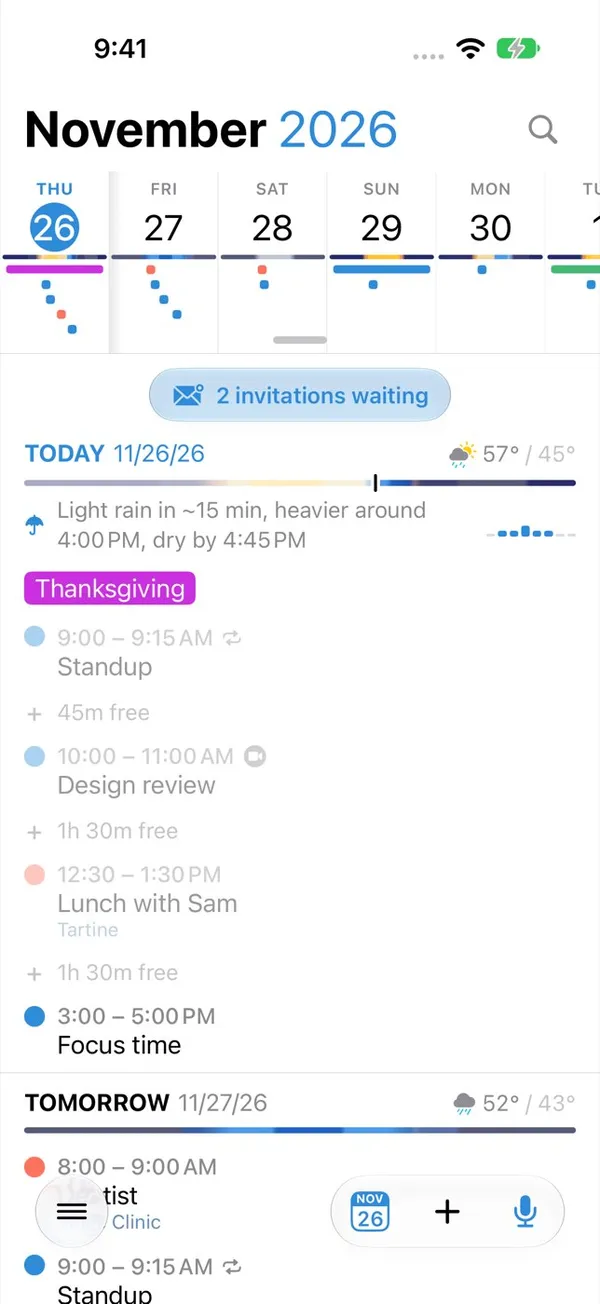
The agenda shows the free time between events, like “1h 30m free”. Tap a gap to start an event that already fills it. Invitations wait with Accept and Decline, and a pill jumps to the next one.

Agenda for today with Thanksgiving, Standup, Design review, Lunch with Sam, and Focus time, separated by free gaps, under the Day Ribbon
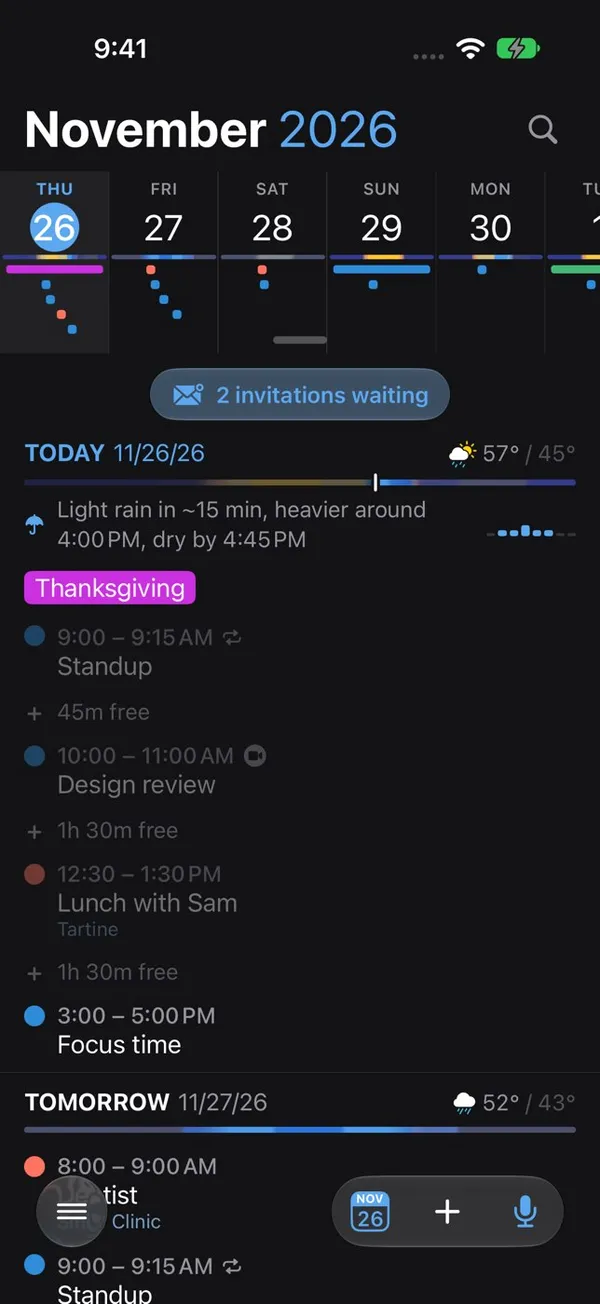
The same agenda in dark mode

Weather

The sky over every day.

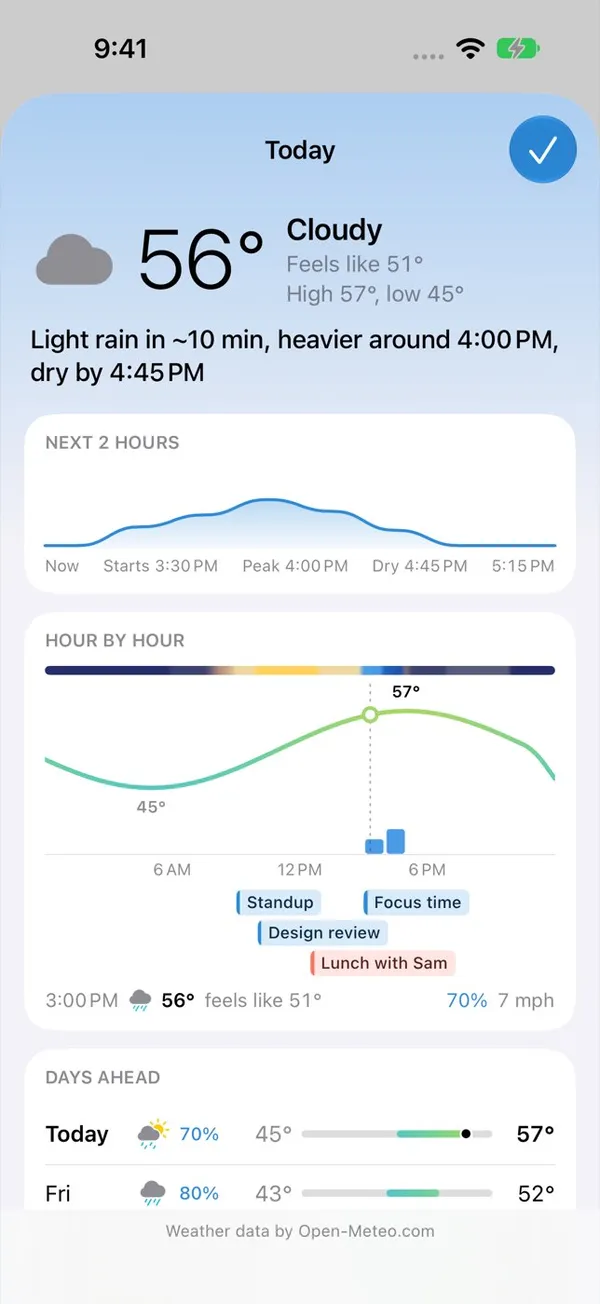
Turn on weather and each day in the list gets its high and low, and a line of color for its sky from midnight to midnight: gold for sun, gray for cloud, blue for rain, and indigo for night. The Day Ribbon, the timelines, and the widgets show it too.

When rain is coming in the next two hours, one line under Today says when it starts and when it's dry again. Tap it for the day hour by hour, with your events under the hours they're in. An opened event shows the weather where it is.

Forecasts come from Open-Meteo, asked for with your location rounded to about a kilometer, or a city you pick.

Today's forecast: cloudy and 56°, light rain in 10 minutes, the next two hours of rain, the day hour by hour with its events, and the days ahead
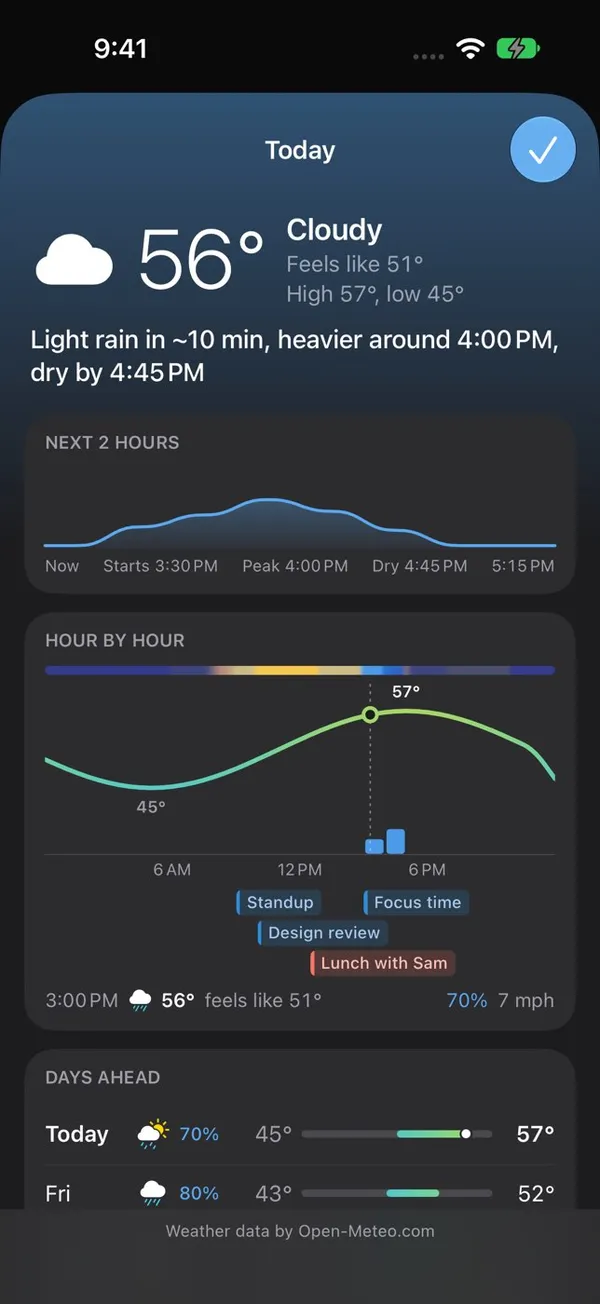
The same forecast in dark mode

Day, week, month, quarter, and year

Every view, at full size.

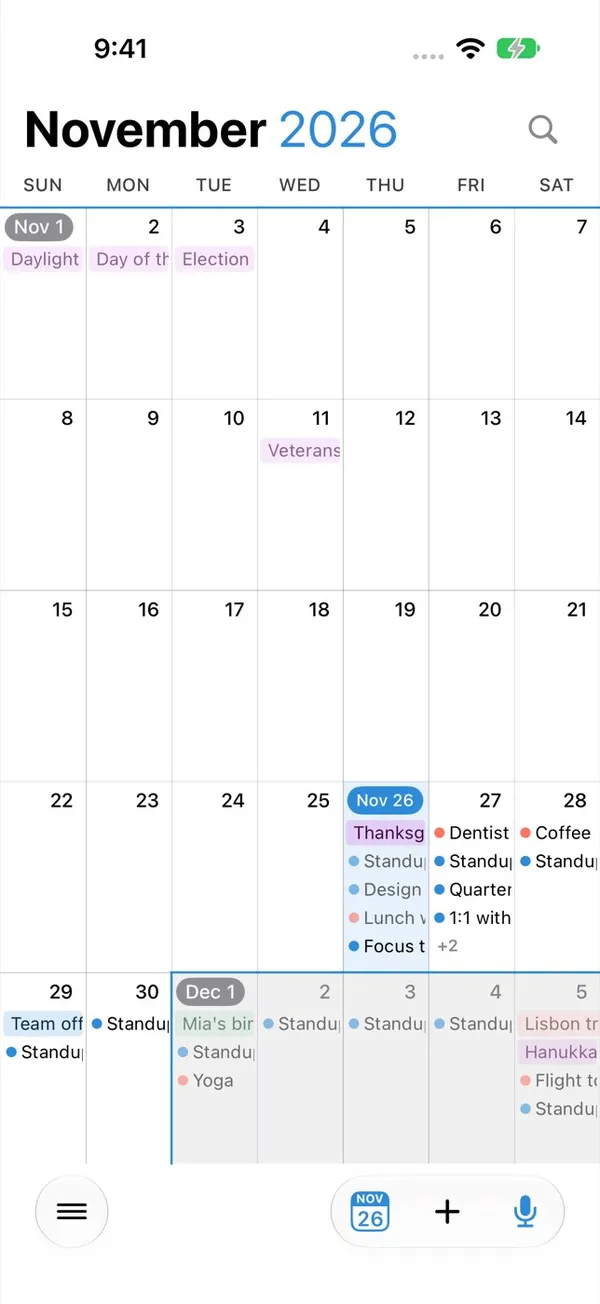
The full-screen month shows event titles in every day and multi-day trips as bars. Long-press a day to add something, or drag an event to another day.

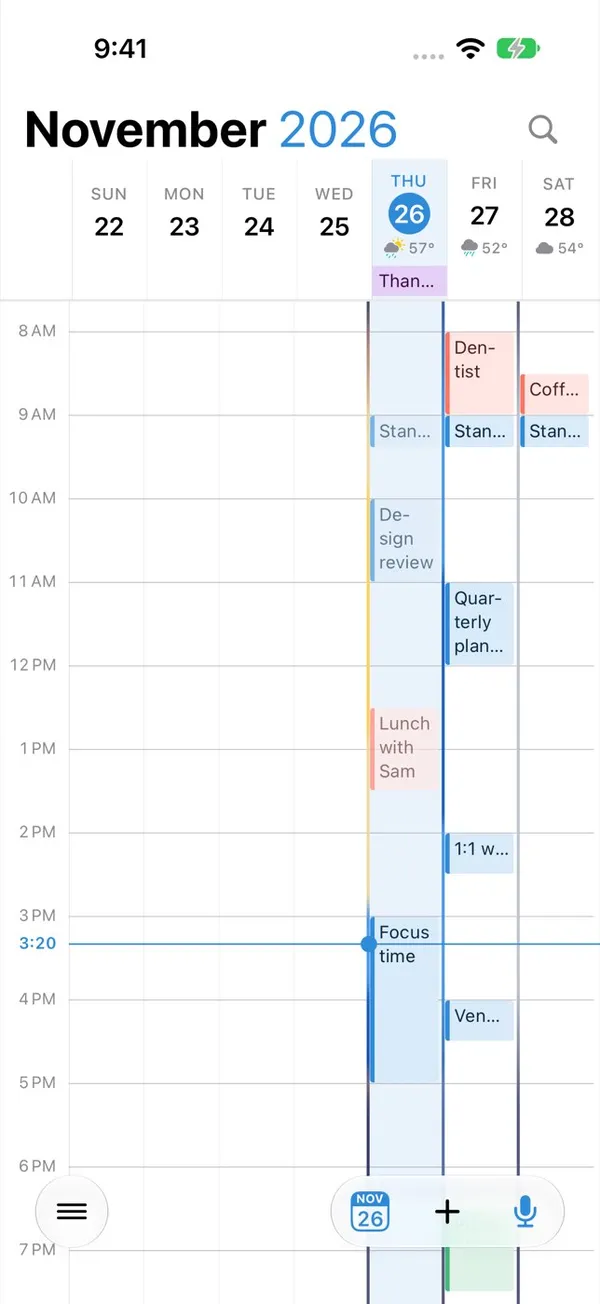
The day and week timelines let you drag to create an event, then move it or stretch it to the right length. The quarter and year show months at a glance, each day of the year shaded by how full it is.

Full-screen month view with event titles in each day and multi-day bars
Week timeline with the weather under each day and the events of the week

Mac

And a real Mac app.

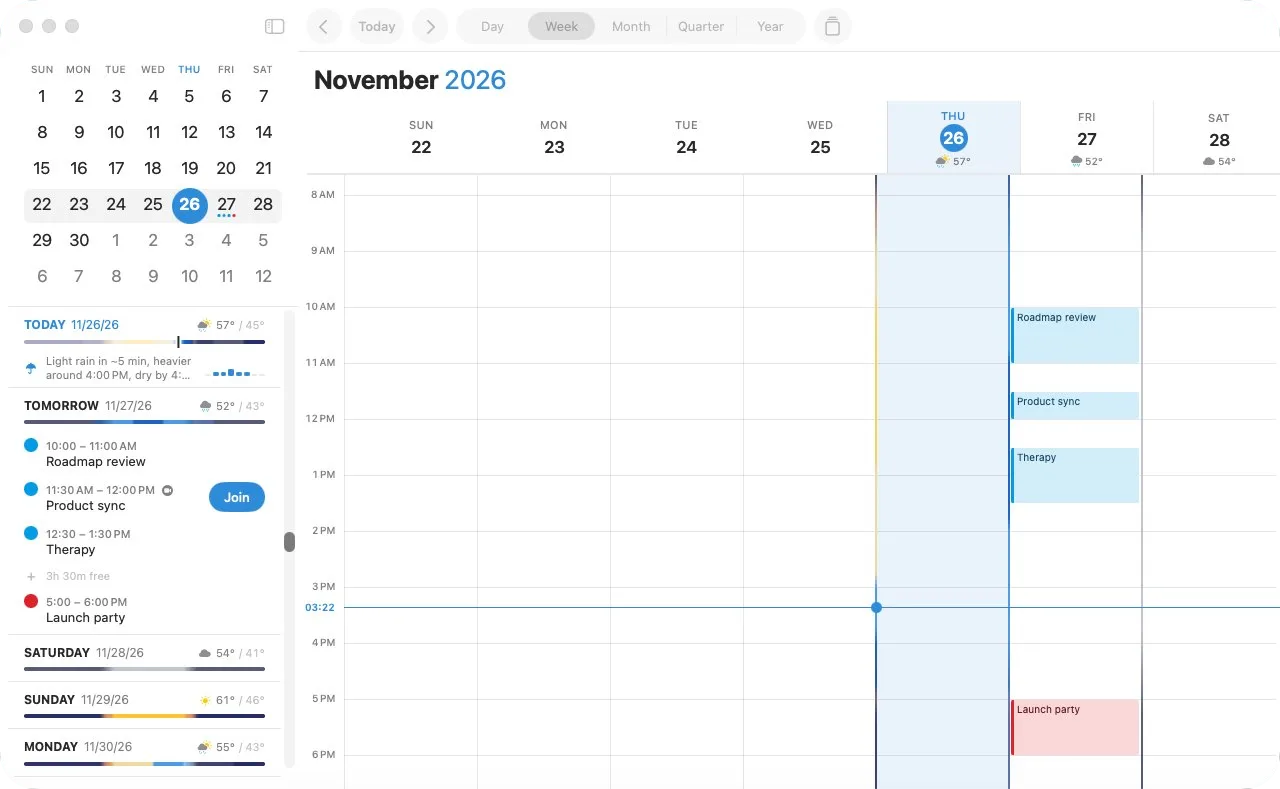
On the Mac, the month and the list sit in a sidebar beside the day, week, month, quarter, or year. Drag events with the mouse, add one in a sentence from the menu bar, and get around with ⌘N, ⌘F, and ⌘1 to ⌘5.

Connect Google and iCloud accounts there just as on the iPhone, with the same weather, search, and calendar sets.

MaxCal on a Mac: the month and the list with each day's weather in the sidebar, and the week beside them

Everywhere on your iPhone

MaxCal doesn't wait for you to open it.

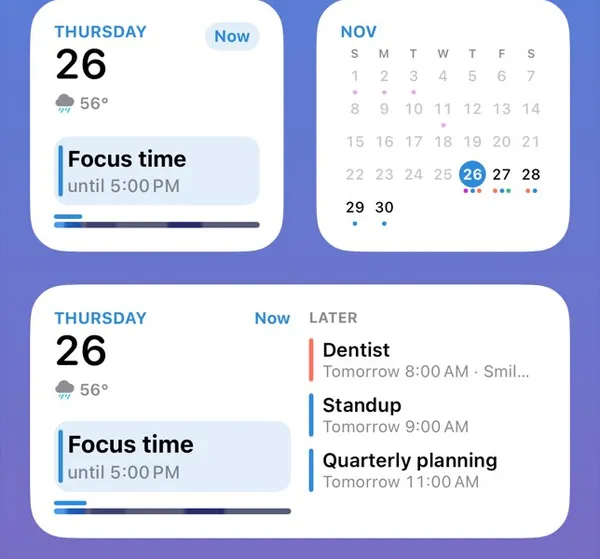
Home Screen widgets showing the next event with the sky ahead, a month, and today's agenda

Home Screen widgets

Up next, your agenda, and the month, with the sky ahead, right on the Home Screen.

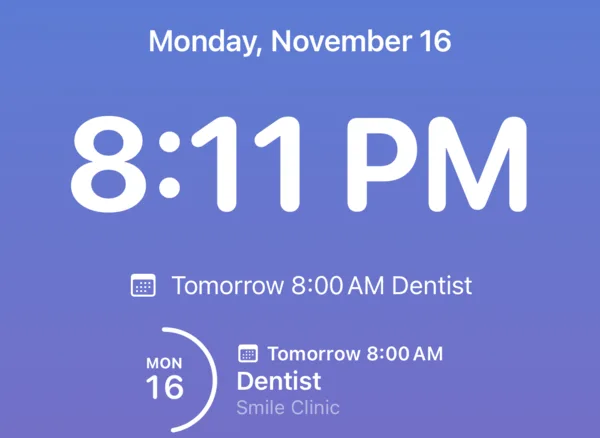
Lock Screen widgets showing tomorrow's first event

Lock Screen widgets and Live Activity

See your next event without unlocking, with a countdown and a Join button in a Live Activity as it gets close.

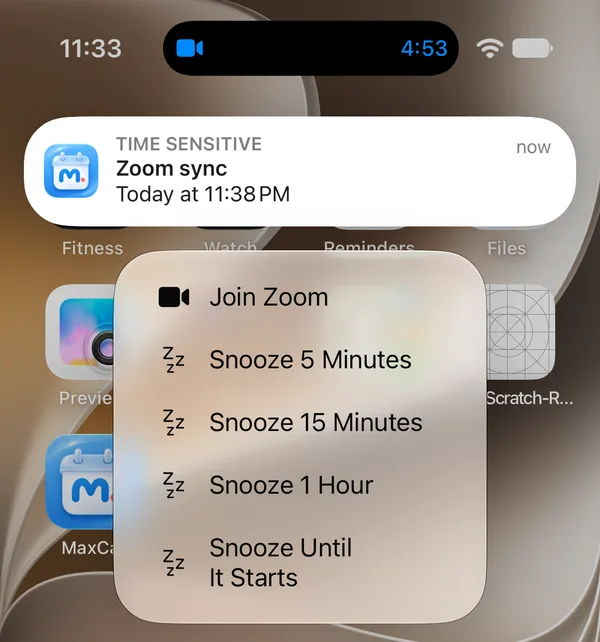
A MaxCal notification for Zoom sync with Join Zoom and Snooze options

Alerts with Join and Snooze

MaxCal's own notifications open the event in MaxCal, join the call, or snooze for 5 minutes, an hour, or until it starts.

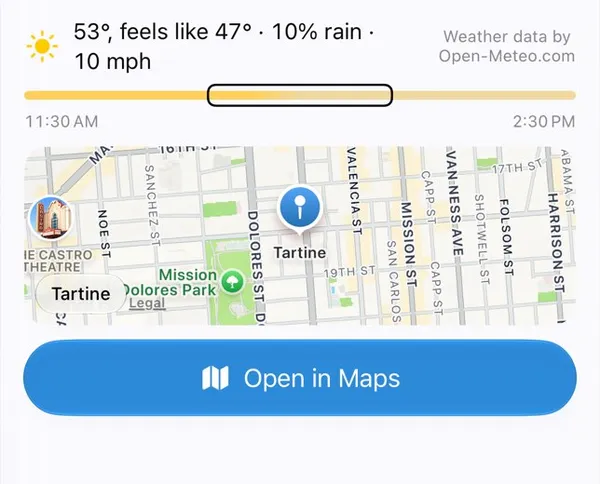
An opened event with the weather at Tartine through its hours, a map, and an Open in Maps button

Maps, weather, and Call

An opened event shows a map and the weather where you're going, one tap to Apple Maps, Google Maps, or Waze, and a Call button for phone numbers.

And more

The small things you use every day.

All your accounts

Connect as many Google and iCloud accounts as you like, alongside the calendars already on your iPhone or Mac, such as Outlook and Exchange. Google events get Meet links, labels, and invitation replies.

People

With Contacts allowed, the people on an event show their picture, and their page has Message and Call buttons and the events you share.

Calendar sets and search

Group calendars into sets like Work and Home, which can switch by time, place, or Focus. Search finds any event, past or future.

Quick actions with Undo

Duplicate, move to tomorrow, change calendar, hide, or delete from the event's menu, and undo any of them.

Templates, badges, and travel time

Save an event to make more like it, give it an emoji, or add travel time so its alert says when to leave.

Siri, Shortcuts, and Control Center

Add an event or open a day by voice, from a shortcut, or from Control Center.

Join buttons

Zoom, Meet, Teams, Webex, and FaceTime links become a Join button.

iPhone Duo

Unfolded, the month and agenda sit on the left and a day, week, or month on the right.

Dark mode

Every view, in light and dark, in Smurf blue.

Privacy

Your calendar stays on your devices.

MaxCal has no servers and no accounts. Your events go only between your iPhone or Mac and your calendar providers, such as Google and Apple. We never see, store, sell, or share them.

Read the privacy policy
  • No servers

    MaxCal runs entirely on your iPhone and Mac. There is no MaxCal backend to send your data to.

  • No account, no tracking

    No sign-up, no analytics, no ads, and no data sold or shared.

  • Voice and AI stay on the device

    Voice entry and quick add's suggestions use Apple's on-device speech recognition and model. What you say or type is never uploaded.

  • Weather with a rounded location

    If you turn weather on, MaxCal asks Open-Meteo for the forecast with your location rounded to about a kilometer, or a city you pick.

  • Why MaxCal asks for Google Calendar access

    When you connect a Google account, MaxCal asks to see and edit your events and to see the list of your calendars. It uses that only to show your calendars, and to make the changes you ask for, on your iPhone or Mac.